Warning, this post is very self-indulgent and includes callbacks to a post on this blog from over nine years ago. Normal service will resume soon.
Sigh, I suppose it's time.
After nearly 10 years of Windows 10 on my desktop machine, I finally got the ominous message - "support for this operating system is about to be discontinued, click the button to upgrade or forever live in regret and pain as the worms consume your data". Or words to that effect at least.
Still, at least this time it gave me the choice.
Windows runs on the old Star Trek movie quality register - you only really want every other one - so I was expecting some kind of The Final Frontier experience. I've been putting off the update for as long as possible, but I really can't run an operating system that isn't getting security updates so with fear in my heart and after lighting my incense burner and offering placation to the Omnissiah I hit go. The trumpets sounded, the ground was rent asunder and it arrived.
It's fine.
So let's start with the Good.
The Good
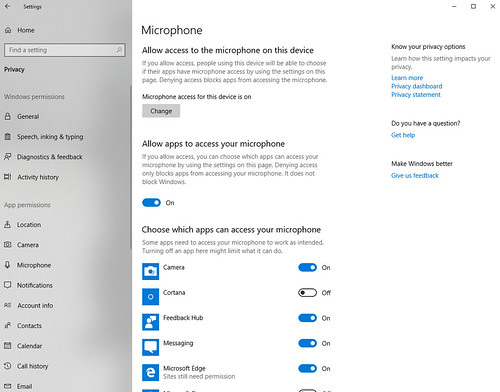
Modern Windows has become an advertising and data gathering vector, but I was pleased to see that Windows 11 did actually retain my privacy settings. I was expecting it to reset everything to "on" and then have to spend hours crawling through menus to find and undo the damage, but no. It remembered where I was and the only work was finding and disabling a handful of new options - honestly I was very surprised here, and in a pleasant way.
In fact, in general the various menus have been tidied up. I found navigating them much more intuitive than Win10, and could generally find whatever I was looking for without having to ask Google. Another nice step forward.
Another nice thing - most of my setup just kept working. This should be obvious and Just Work, but even so it was a nice experience. Particularly worth noting, my printer is still working. This device is an HP1010 - an ancient laser from 2001, which just keeps on going. I realised recently it's quite possibly the oldest bit of technology I own and aside from paper I've done nothing to keep it alive through its lifecycle. Drivers have been difficult since Win7, so I was slightly worried this would be the end but no! The Emperor protects!
So this is all mostly "I was pleasantly surprised it didn't get worse" but there is one big step forward. Someone at Microsoft dusted off the sourcecode for Notepad and actually made some changes and my goodness - it's a huge step forward. Notepad now has tabs. You can open more than one pad without it trying to close the old one. Most importantly it saves the buffer when you quit, so it works like an actual scratchpad!
I appreciate this is all utterly standard for a text editor, and anyone on Linux or OSX will be rolling their eyes, but for Windows users this is a revolution. I use Notepad quite a bit, and now it has features!
The Bad
Not everything is shiny, although the gripes here are not horrendous.
Microsoft has played with the UI, of course, and some changes are ... questionable. Why are the taskbar functions now in the middle, instead of the bottom left? Easily fixed, with a toggle, but ... why? And why are there yet more widgets on the taskbar, loading data continuously to tell me things I don't want to know? Another thing to kill.
Then there is the Start menu. I disabled all the "live tile" rubbish in Win10 so I don't know if it's gone in Win11 or they kept my settings. But instead, there is a massive "recommended" section which is just another way to advertise things (disabled now) and a whole bunch of new pinned shortcuts, instead of just keeping my old shortcuts. Those are in a subfolder, so I had a "fun" time dragging and dropping everything back to where it should be, and purging the new rubbish.
What cannot be fixed though is the "shutdown" button which is now a million miles away from the Start button. So instead of Start / Shutdown at the end of the day, it's Start ... hunt ... where? oh there ... Shutdown. A small thing, but these little things are what makes a UI nice or irritating. This is annoying.
Oh and yet more rubbish on the lock screen. I don't want a widget on this page - please stop. Easy to turn off though and the new default picture is very pretty.
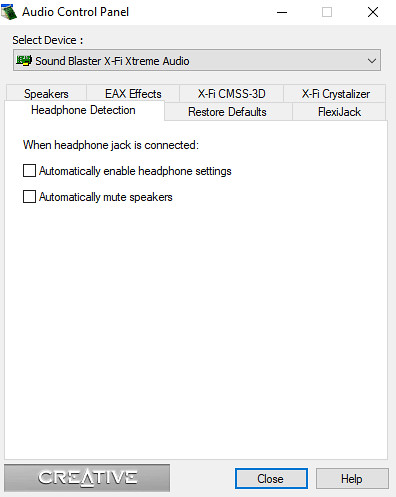
The other problem is for some reason it has decided the soundcard on my motherboard is a USB device. This doesn't impact usage, but it does mean it has a stupid name which makes it hard to find. Will this come back to bite me? We shall see...
The Ugly
What else? The redesigned task bar, including the fonts, is kinda ugly. I don't think it's just different, I think it's a step backwards for legibility. But this is something I'll adjust to. Same as some of the new icons, which are just a bit over-designed in places (the Notepad one is not nice).
So that's about it. Win11 is mostly fine and nothing has exploded. It is a huge step forward for Notepad and some small steps backward for the start menu. I haven't run it long enough to comment on stability yet, but we are four years since original release so I'd hope this is ok by now. As long as it doesn't eat all my data or start advertising to me I think we can get on.
Right, enough self-indulgent peeking behind the curtain. I'll write about tech leadership or ADHD again next time and follow this up in about 10 years for Windows 12...